Login & Setup Screens
These are the screens a customer sees before they reach the main app — opening the app, entering their phone number, the OTP, and biometric login. If a customer cannot get past these screens, they are not logged in yet.
Perccent does not ask the customer to set up an MPIN. The app uses phone-OTP login for first-time and returning customers, with device biometric as a convenience on returning logins. Email and email OTP are collected inline during KYC, not on a dedicated login screen.
Splash / Landing screen

What the customer sees: the Perccent logo briefly, then a green-to-blue gradient wash while the app finishes loading. The screenshot captures the gradient phase only — the logo flashes earlier.
What happens: the app checks if the customer is already logged in. If yes, it goes to the main app (offering biometric where enrolled). If no, it goes to the Phone Number screen.
Keyboard: none.
A frozen splash usually means a poor network connection or an app that needs updating. Ask the customer to: check internet, force-close and reopen the app, and update the app from the Play Store / App Store.
Phone Number entry
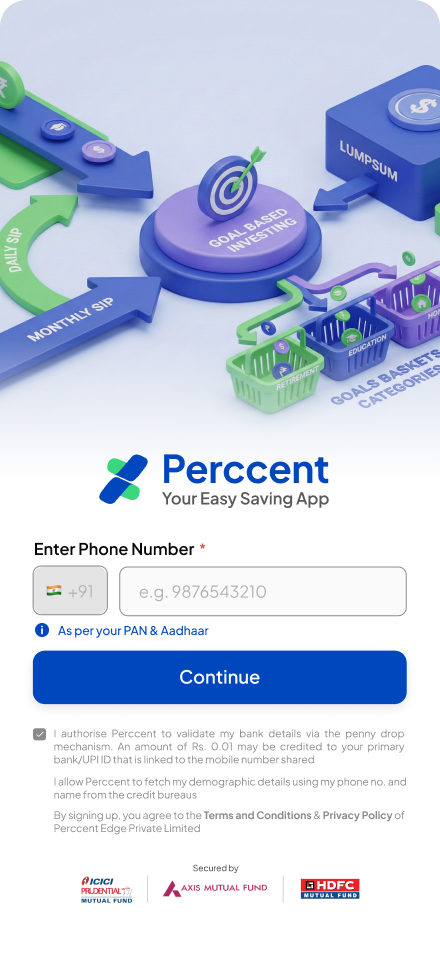
What the customer sees: the headline "Perccent — Your Easy Saving App", the country code chip +91 (locked to India), a single field for the 10-digit mobile number with placeholder e.g. 9876543210, an information chip "As per your PAN & Aadhaar", a Continue button (disabled until the number is valid and the T&C checkbox is ticked), and a footer with Secured by Axis Mutual Fund · HDFC Bank trust badges.
| Button | What it does | Where it leads |
|---|---|---|
| Continue | Sends a 6-digit OTP by SMS to the number | Phone OTP screen |
| Terms / Privacy links | Opens the policy in an in-app browser | — |
Keyboard: OS numeric keypad, capped at 10 digits.
Common confusion: the customer types a wrong number, or adds +91 twice. Ask them to enter only the 10 digits in the number box.
Phone OTP entry
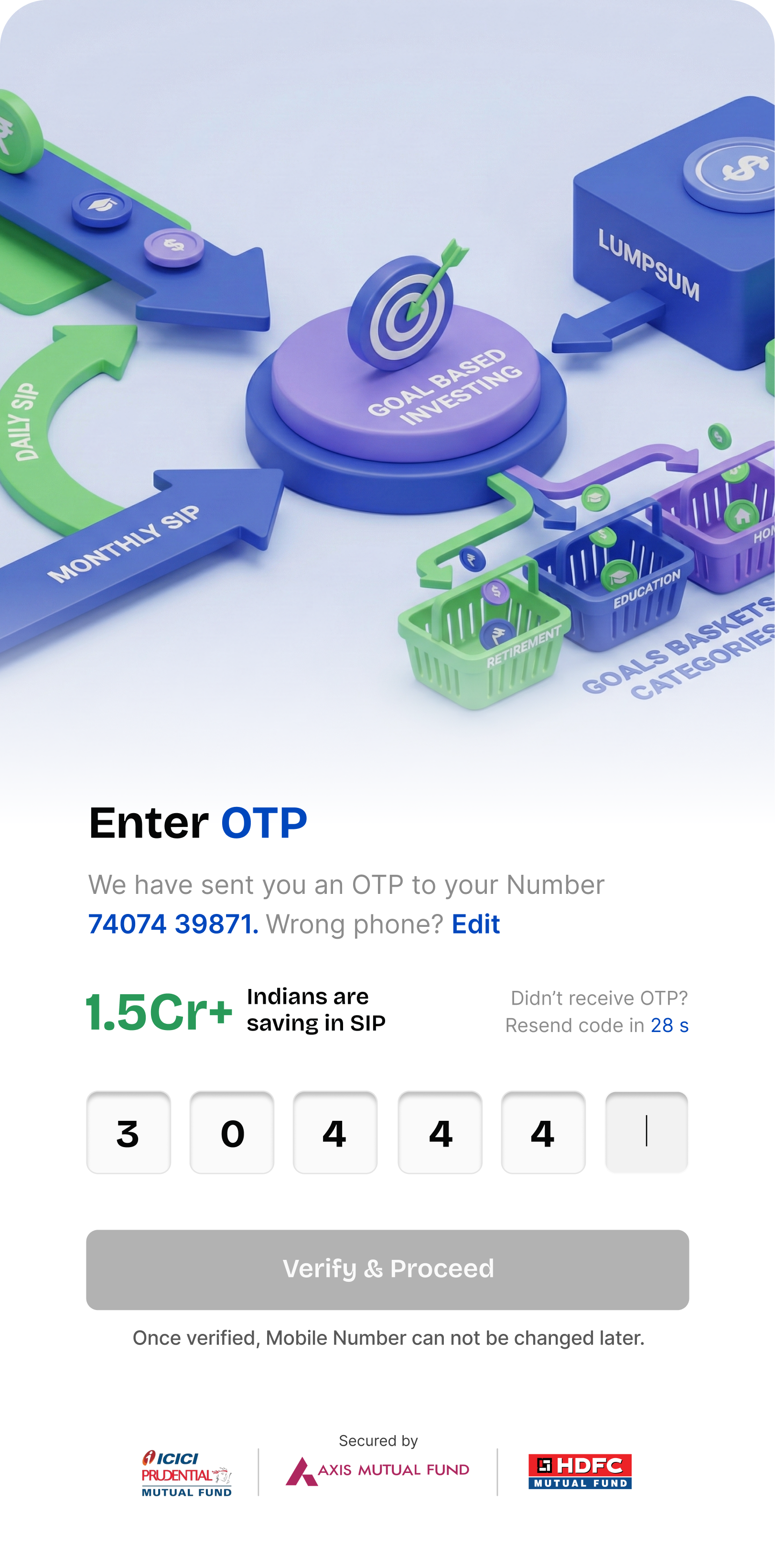
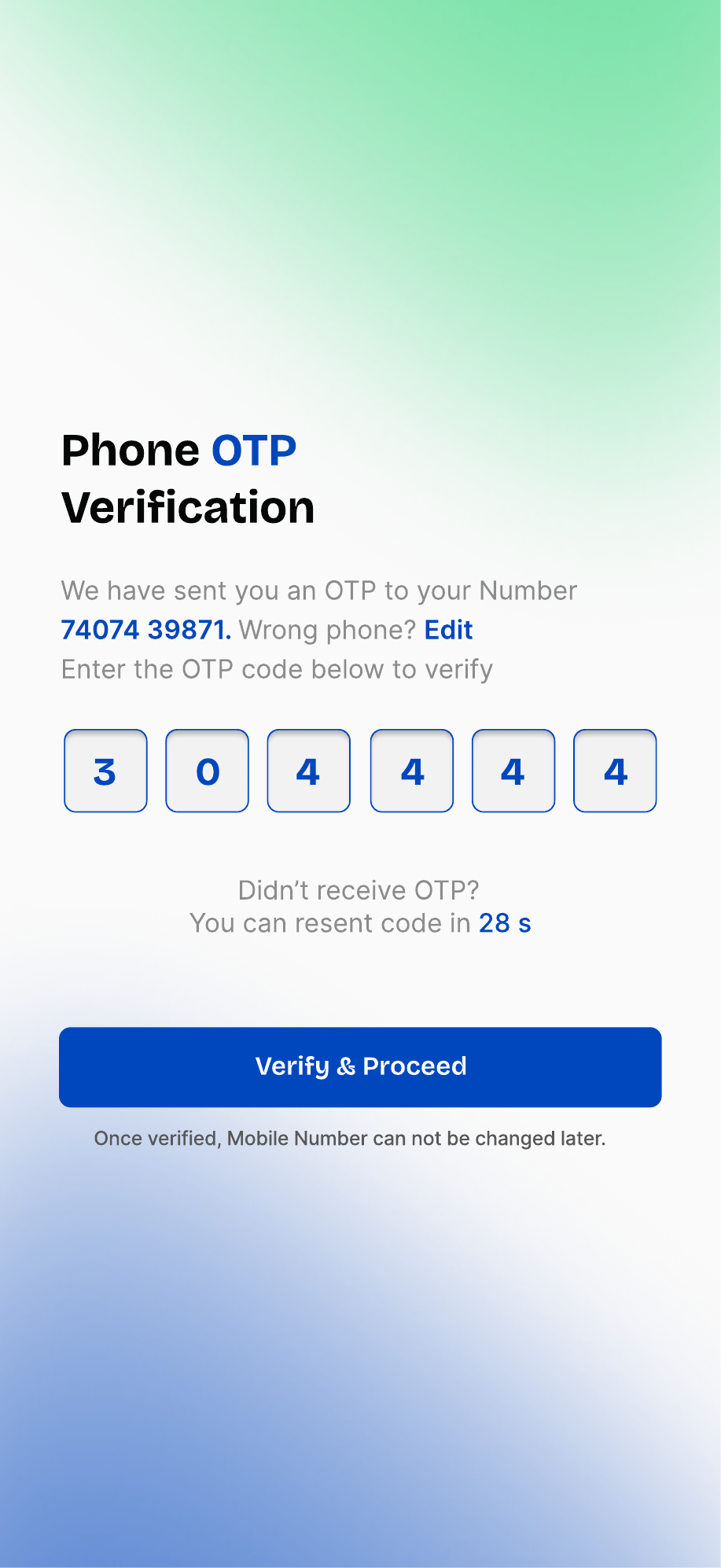
What the customer sees: a 3D illustration (Daily SIP / Monthly SIP arrows around a Goal Based Investing target, with Lumpsum, Goals, Baskets and Categories blocks), the heading Enter OTP, "We have sent you an OTP to your Number 7407… Wrong phone? Edit", a green 1.5Cr+ Indians are saving in SIP trust badge, a Didn't receive OTP? Resend code in 28 s helper, 6 OTP boxes, a Verify & Proceed CTA (greyed until all 6 digits are filled), and a footer note "Once verified, Mobile Number can not be changed later." Below: Secured by ICICI Prudential / Axis Mutual Fund / HDFC Mutual Fund trust strip.
| Button | What it does |
|---|---|
| Verify & Proceed | Checks the OTP and logs the customer in |
| Edit (next to phone) | Goes back to the Phone Number screen |
| Resend code | Sends a fresh OTP after the 28-second timer expires — allowed up to 3 times |
Keyboard: OS numeric. Boxes auto-advance as digits are typed.
Rules: the OTP is 6 digits. A wrong OTP shows "Invalid OTP". An old OTP shows "Expired" — the customer must resend.
The number one cause is carrier DND (Do Not Disturb) blocking transactional SMS. See the OTP Not Received support page for the full script.
The screen warns "Once verified, Mobile Number can not be changed later". Confirm the customer is on their own primary number before they tap Verify.
Biometric login (returning customer)
📸 No screenshot — biometric prompt is system-generated. On a returning login the device shows its own native Touch ID / Face ID / fingerprint sheet (iOS Local Authentication or Android BiometricPrompt). The look depends entirely on the device, not on Perccent.
What the customer sees: the device's standard biometric prompt overlaying a brief Perccent loading screen. There is no in-app screen to capture — the sheet is drawn by iOS or Android.
What happens: if the customer enrolled biometric during a previous session, the app asks for fingerprint / face on the next launch. A successful match opens the main app directly. A failed match falls back to phone-OTP login.
Keyboard: none.
Important: biometric login is optional and a convenience. It can be turned on or off from Account → More Details.
If a customer is suddenly asked to log in again from the start, their session expired (a "401"). This is a normal security reset — their data and investments are safe. Ask them to log in again with phone + OTP. See the Account Locked / 401 Error support page.
Perccent does not ask for email on a dedicated screen. Email and the inline 6-digit email OTP are collected on the KYC Personal Information screen (see the KYC Screens page, SS13). The Click to Verify link sends the code; the boxes appear in line on the same form.